How To Invite Users?
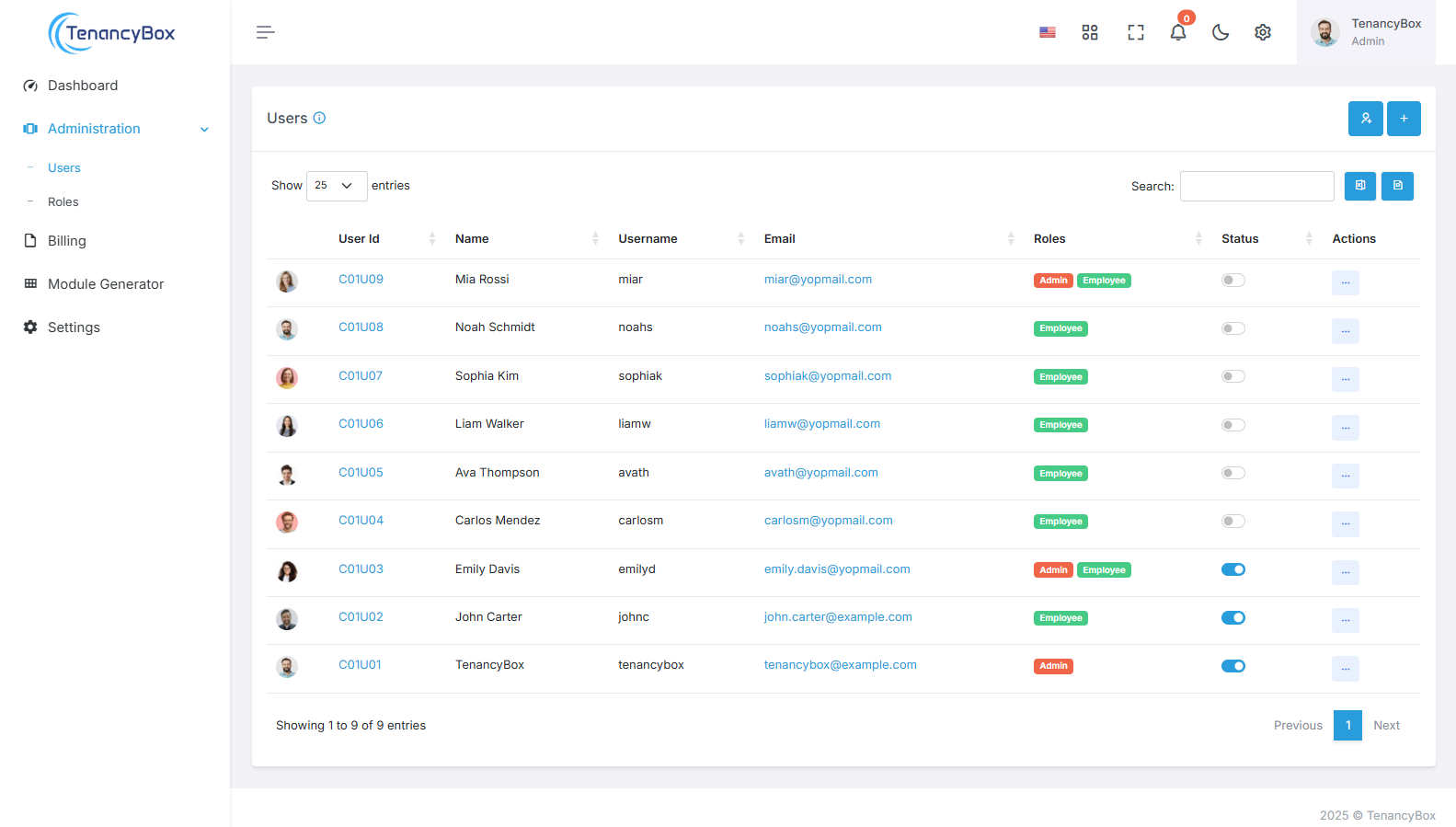
Users are individuals who have access to the organization's system or platform, typically employees or stakeholders involved in various processes. Inviting users involves extending access to the system by sending them invitations to create accounts and participate in relevant activities.
Invite Users
Follow the steps to invite users
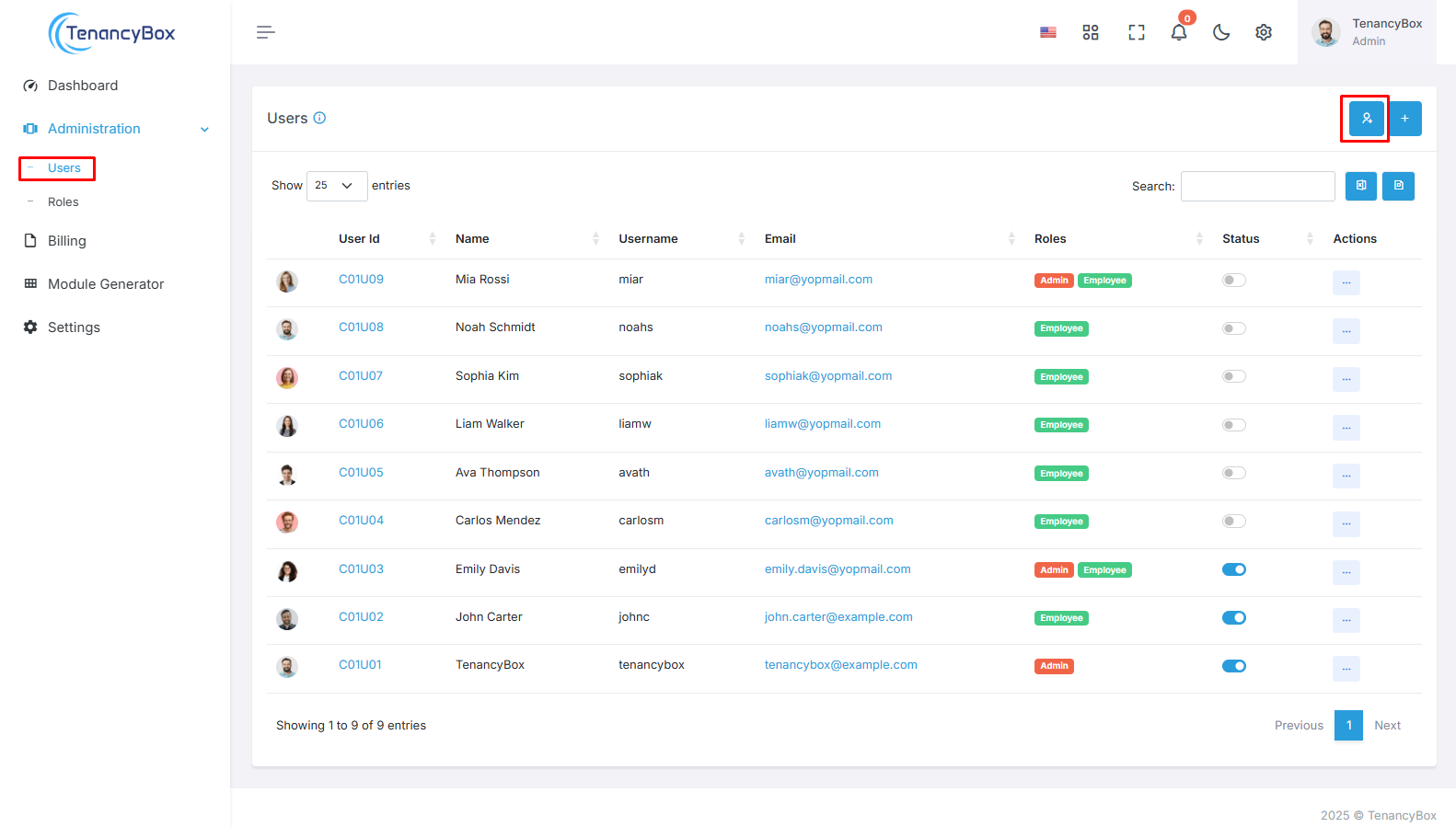
Navigate to the Users Section
- Access the Users section within the HRM module, typically located in the left sidebar.
Tap on the Invite Button
- Initiate the user invitation process by clicking on the invite button.
Invite User Creation Form
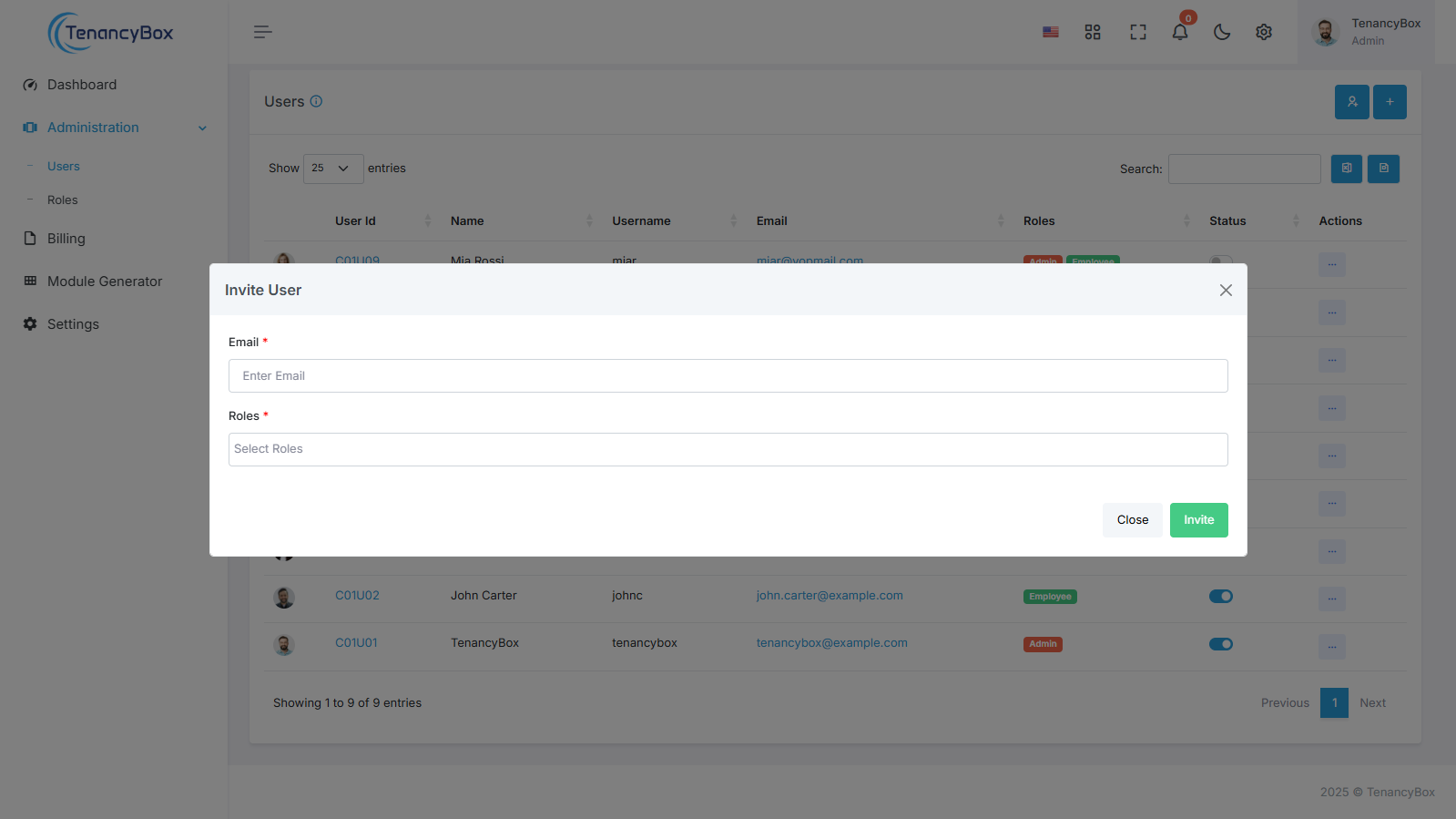
Provide necessary details in the invite user creation form, including:
-
Email
- Enter the email address of the user you wish to invite.
-
Role
- Specify the role or permissions assigned to the invited user.
Sign Up User Creation Page
The invited user fills out the signup user form with the following details:
-
Name
- Full name of the user.
-
Username
- Unique identifier for login purposes.
-
Password
- Secure password for account access.
User Account Creation
- After successfully creating their account, the user's details will be accessible in the Users section of the HRM module.
- Administrators can manage user details and permissions as needed. Also, users can edit their profiles according to their needs.
By effectively inviting users, organizations can ensure smooth collaboration, streamline processes, and empower individuals to contribute effectively within the system.